GPT Image 2.6 vs 2.5: what changed, and is it worth switching?
Updated
GPT Image 2.6 keeps GPT Image 2.5's token prices and its Sunburst and Flare pair, and adds a complexity setting, SVG output, animated GIF output and markup-guided edits. On our ads the image quality of the two generations was very close: both spelled every line correctly and copied product labels word for word.
Speed changed more than quality. On launch day 2.6 Flare was the fastest OpenAI model we have measured, at 16 to 26 seconds for a 4:5 ad, while 2.6 Sunburst was slower than 2.5 Sunburst, at 51 to 55 seconds against 37 to 39. If you are on 2.5, switching to 2.6 costs nothing, and Flare is the version to try first.
What stayed the same
Prices: $8 per million image input tokens, $5 per million text input tokens and $30 per million image output tokens.
Two versions per generation, Sunburst for detail and Flare for speed.
The Image API's generations and edits endpoints, so switching there is a change of model ID.
Custom sizes: we requested 1088 x 1360 and 1536 x 864 from both generations without problems.
Token use: 2.5 Sunburst and 2.6 Sunburst used exactly the same input and output tokens for the same ad.
What's new in 2.6
Complexity, a low, medium or high setting that trades focus for detail, with high as the default and no extra fee.
SVG generation for vector output.
Animated GIF generation.
Markup-guided edits, which OpenAI also turned on for the 2.5 models.
More on each feature is in GPT Image 2.6 explained.
What 2.6 does not have yet
GPT Image 2.5 works through the Responses API and the Batch API, at half price in Batch. OpenAI's 2.6 model pages list only the Image API's generations and edits endpoints, and the pricing page has no Batch rate for 2.6. If you generate images inside Responses API conversations, or rely on Batch for cost, stay on 2.5 for those jobs for now.
On the public Arena leaderboards of 2 November 2026, 2.5 Sunburst still ranked first for both text to image and image editing, with 2.6 Sunburst second and third. The 2.6 entries were preliminary, with about 3,000 votes each, and were tested at medium quality, so they are not yet a like for like comparison.
Speed, measured
Same inputs, quality high, 5 November 2026. Times are from request to image.
| Job | 2.5 Sunburst | 2.6 Sunburst | 2.6 Flare |
|---|---|---|---|
| 4:5 ad (dashboard) | 37 seconds | 51 seconds | 16 seconds |
| 4:5 ad (packaging) | 39 seconds | 55 seconds | 26 seconds |
| 16:9 thumbnail | 30 seconds | 40 seconds | 16 seconds |
| One-line edit | 33 seconds | 47 seconds | 15 seconds |
Sunburst 2.6 was 33 to 44% slower than Sunburst 2.5 across the four jobs, although OpenAI says the 2.6 models are 50% faster than before. Launch-week load may explain some of that, so we will re-test. Flare 2.6 was the fastest model in every job.
Quality, side by side
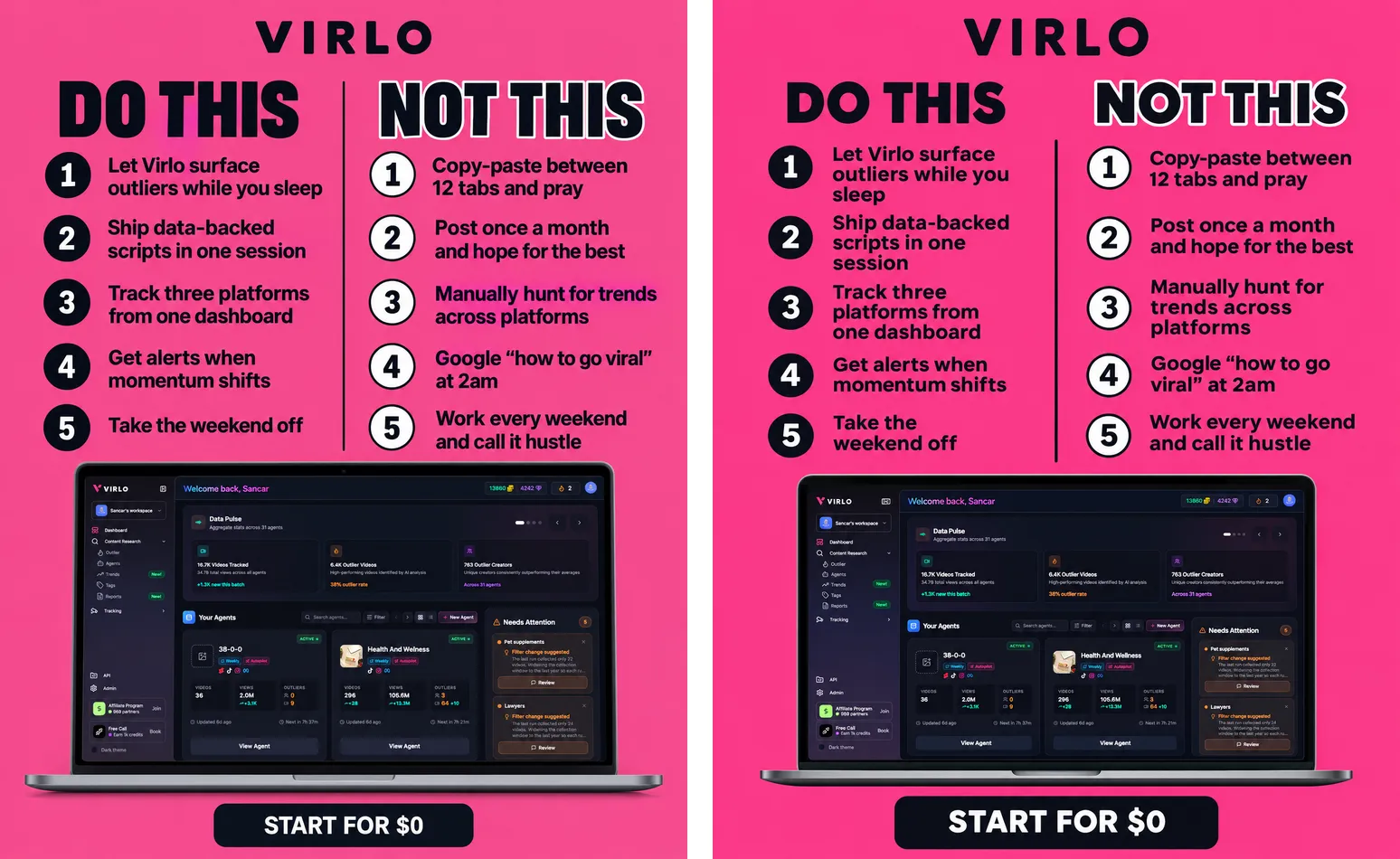
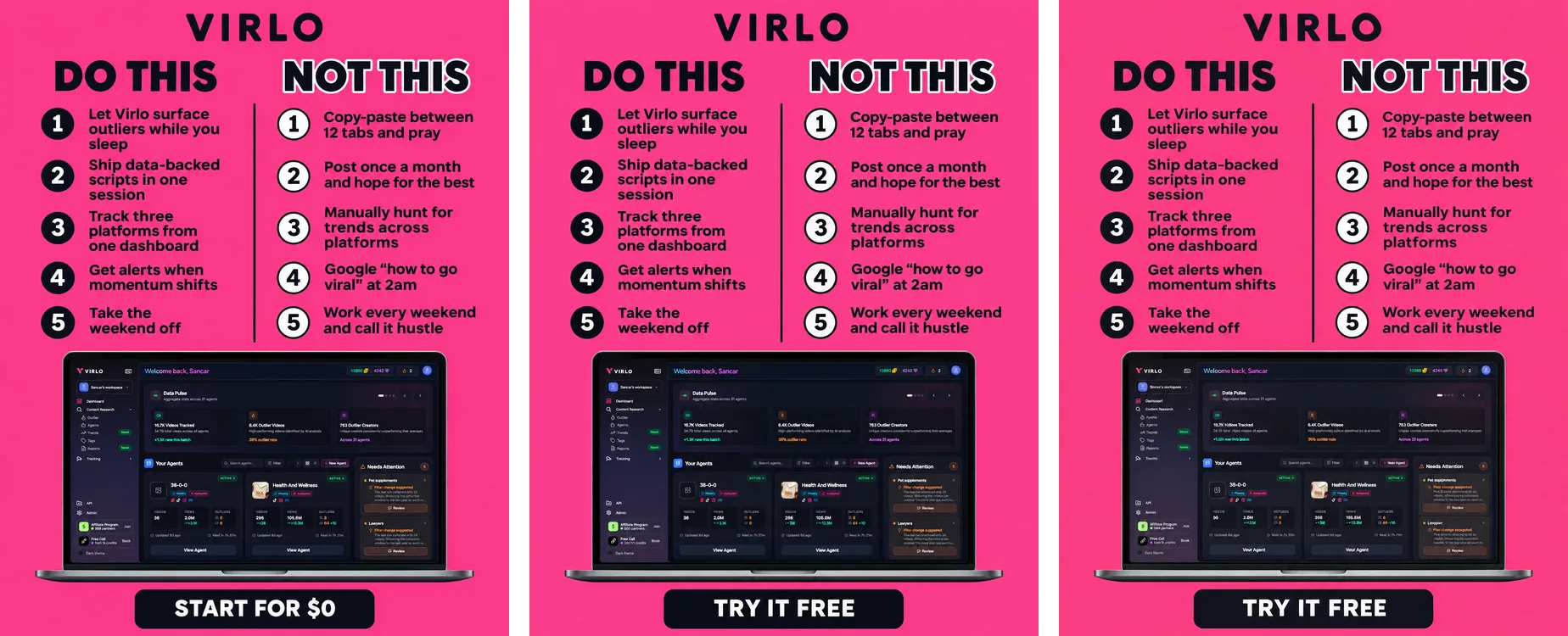
On the Virlo ad, 2.6 Sunburst set larger, bolder type than 2.5 Sunburst and wrapped some list lines onto a third line. Both kept the dashboard's figures readable. On a supplement ad, both copied the label exactly. On a YouTube thumbnail, the 2.6 models drew the website in the scene more cleanly, and all three kept the face recognisable.
Edits: where 2.6 pulls ahead
On the default setting, 2.6 Sunburst changed slightly more of an image during a one-line edit than 2.5 Sunburst did (12.5 against 11.7 on our 0 to 255 difference scale, lower is better). With complexity set to low, 2.6 Sunburst dropped to 8.6 and 2.6 Flare to 6.4, and both finished faster. If your work involves editing finished images, the complexity setting is the most useful change in 2.6.
From gpt-image-2 to 2.6
In September we measured gpt-image-2 against GPT Image 2.5 on the same kind of ad at 1024 x 1536. gpt-image-2 took 107 seconds and $0.197; 2.5 Sunburst took 34 seconds and $0.073, because it used about a quarter of the output tokens. 2.6 keeps 2.5's efficiency and adds Flare's extra speed. The full cost history is in GPT Image 2.6 pricing.
Should you switch?
On 2.5 Flare: switch to 2.6 Flare. Same price, and it was faster and kept product colours true in our tests.
On 2.5 Sunburst and waiting on renders: try 2.6 Flare, which matched it on our ads in under half the time.
On 2.5 Sunburst and happy with it: 2.6 Sunburst costs the same, but was slower on launch day. Switch when you need the new features.
Editing finished images: switch, and set complexity to low for small changes.
Still on gpt-image-2: switch to either 2.6 model. Our ads cost less than half as much and took a fraction of the time.
On gpt-image-1.5, gpt-image-1-mini or chatgpt-image-latest: you have to move. OpenAI shuts them down on 1 December 2026 and names the 2.6 models as their replacement.
Using images in the Responses API or Batch: stay on 2.5 for those jobs until 2.6 supports them.
Frequently asked questions
- Is GPT Image 2.6 better than 2.5?
- It adds features, such as the complexity setting, SVG and GIF output, at the same price. Image quality on our ads was very close. 2.6 Flare was much faster than any 2.5 model, while 2.6 Sunburst was slower than 2.5 Sunburst on launch day.
- Does GPT Image 2.6 cost more than 2.5?
- No. Token prices are identical, and 2.5 Sunburst and 2.6 Sunburst used the same number of tokens for the same ad in our test.
- Do I need to change my code to use GPT Image 2.6?
- On the Image API, only the model ID, to gpt-image-2.6-sunburst or gpt-image-2.6-flare. The endpoints and sizes we use worked unchanged, and the complexity setting is optional. 2.6 is not available through the Responses API.
Sources
- OpenAI API changelog, 4 November 2026
- OpenAI model page: gpt-image-2.6-sunburst
- OpenAI model page: gpt-image-2.6-flare
- OpenAI image generation guide
- OpenAI API pricing
- OpenAI API deprecations
- OpenAI Developers on X, 4 November 2026
- Arena text-to-image leaderboard (snapshot of 2 November 2026)
- Arena image edit leaderboard (snapshot of 2 November 2026)
Keep reading
GPT Image 2.6: what's new, what it costs and how it does on real ads
OpenAI's newest image model, what changed, and how it did on real ads.
GPT Image 2.6 Sunburst vs Flare: which one should you use?
Sunburst and Flare on the same jobs: speed, cost, quality and edits.
GPT Image 2.6 pricing: what one image actually costs
Per-token prices, what our images really cost, and how to spend less.